

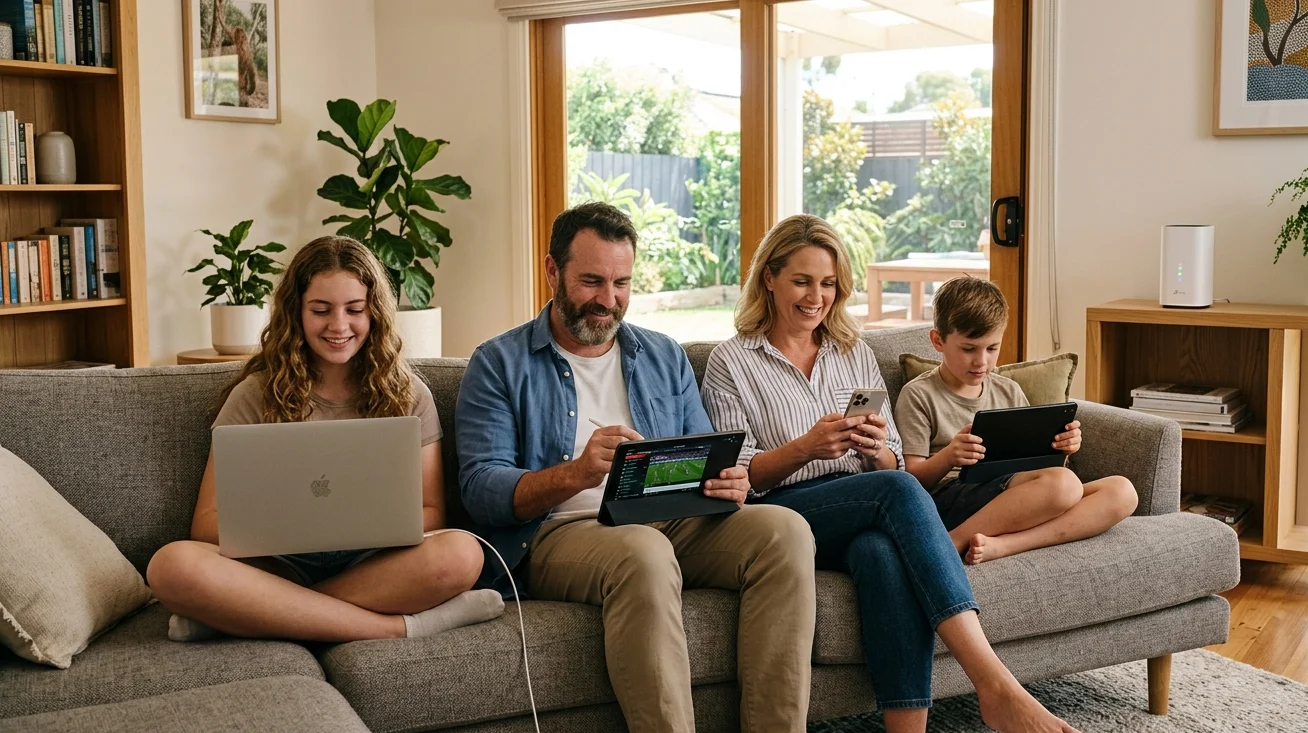
A strong, reliable wireless connection isn’t a luxury in 2026, it’s a basic household necessity. Between streaming, remote work, online learning, gaming, and smart home devices, the average Sunshine Coast household is putting more demand on its network than ever before. And yet most homes are still running on a router that came free with an NBN connection years ago, placed wherever it seemed convenient at the time.
Professional home WiFi installation changes that completely. At Brocky’s TV, we help Sunshine Coast households design and install wireless networks that actually deliver fast, reliable coverage in every room. Here’s what you need to know before you book.
Why Most Home WiFi Setups Fall Short
As Wikipedia’s overview of Wi-Fi technology explains, Wi-Fi uses radio waves to transmit data between your router and connected devices. Like all radio signals, those waves weaken over distance, struggle to penetrate dense building materials, and can be disrupted by interference from other electronics and competing networks.
The result for most Sunshine Coast households is a network that works brilliantly in one room and frustratingly poorly in others. This isn’t a plan speed problem. It’s a setup problem. And professional home WiFi installation addresses it properly.
Common issues a professional installation resolves:
- Dead zones in bedrooms, upstairs rooms, or at the back of the house
- Dropouts during video calls or streaming sessions
- Devices that disconnect regularly without explanation
- Smart TVs buffering despite a fast NBN plan
- Slow speeds when multiple people are online simultaneously
- Weak or no signal in outdoor entertainment areas
What Professional Home WiFi Installation Involves
Router Placement and Signal Assessment
The single most impactful factor in any home WiFi installation is where the router is placed. A router tucked in a cupboard, positioned in a corner room, or hidden behind a TV cabinet is working against itself before a single device connects.
A professional technician assesses your home’s layout, wall construction, and device locations before recommending an optimal router position. For most Sunshine Coast homes, that means a central, elevated position with clear line-of-sight to the areas where devices are used most.
Frequency Band Configuration
Modern routers broadcast on two or three frequency bands simultaneously. Configuring devices to use the right band for their location and usage pattern makes a significant difference to real-world performance.
The 5 GHz band delivers faster speeds for devices close to the router. The 2.4 GHz band provides better range and wall penetration for devices further away. Professional home WiFi installation configures each band correctly and assigns devices appropriately for the best overall network performance.
Mesh WiFi Systems for Larger Homes
Single-router setups work well for smaller properties, but many Sunshine Coast homes, particularly larger family homes, double-storey properties, and homes built with brick or concrete, need a more distributed approach.
Mesh WiFi systems use multiple nodes placed strategically throughout the home to create a single seamless network with consistent signal strength in every room. Devices move between nodes automatically as you move through the house, without disconnecting or requiring manual switching.
Ethernet Points for Fixed Devices
Professional home WiFi installation often includes running Ethernet cabling to fixed, high-demand devices like smart TVs, gaming consoles, and desktop computers. Wiring these devices removes them from the wireless network entirely, freeing up bandwidth and improving Wi-Fi performance for mobile devices throughout the home.
This hybrid approach, wired for fixed devices and wireless for everything mobile, consistently delivers the best overall network experience.

Security Configuration
A properly installed network is also a secure one. Professional home WiFi installation includes configuring WPA3 encryption, setting strong unique passwords, enabling guest network access for visitors, and ensuring the router’s firmware is current and set to update automatically.
When to Book a Professional Home WiFi Installation
DIY works for simple setups in small homes. But professional installation is the right call when:
- Your home has multiple storeys or thick masonry walls
- Dead zones persist despite repositioning the router
- You have ten or more devices regularly connected to the network
- You’re setting up a new home and want the network done properly from day one
- Smart home devices, security cameras, or home automation systems need reliable connectivity
- You’ve upgraded your NBN plan but haven’t seen the speed improvement you expected
NBN Co’s own guidance onchoosing the right home WiFi setup explains how router quality and placement directly affect the speeds you actually experience, regardless of your plan tier.
For homes where TV reception is also a concern alongside WiFi, our TV antenna installation service handles both elements as part of a complete home connectivity solution.
Sunshine Coast-Specific Considerations
Home WiFi installation on the Sunshine Coast comes with some specific challenges that a local technician understands well.
Queensland’s coastal humidity affects electronics over time, making ventilation and equipment placement decisions more important here than in drier inland areas. Many older Sunshine Coast homes were built with double brick or solid concrete construction that significantly limits Wi-Fi signal penetration. And the region’s varied terrain, from hilly hinterland to flat coastal suburbs, means that signal from the NBN connection point can vary significantly between properties.
A local technician knows these factors and accounts for them in every installation.
If you’re experiencing poor TV reception alongside WiFi issues during bad weather, our blog on fixing poor TV reception during bad weather covers related connectivity problems in detail.
Book Your Home WiFi Installation Today
Fast, reliable WiFi in every room of your home isn’t something you should have to settle for. Whether you’re setting up from scratch, replacing outdated hardware, or solving persistent dead zones, the team at Brocky’s TV delivers professional home WiFi installation across the Sunshine Coast with fast turnaround times and upfront pricing.
See what our Sunshine Coast customers think of our work by reading what locals say about us before you get in touch.
Call us on 0754059022, Monday to Friday during business hours.
Contact us today to book your home WiFi installation or get a no-obligation quote.
FAQs
1. How long does a home WiFi installation take?
Most residential installations are completed in one to two hours. Larger homes requiring mesh systems or Ethernet cabling may take a little longer, and we’ll confirm the timeframe before we start.
2. Will a professional WiFi installation make my internet faster?
It will make your internet perform closer to the speeds your plan promises. Most slow WiFi issues are caused by poor router placement, outdated hardware, or incorrect configuration rather than the NBN connection itself.
3. What is a mesh WiFi system and do I need one?
A mesh system uses multiple nodes to distribute WiFi evenly throughout your home. It’s the most effective solution for larger homes, multi-storey properties, and homes with thick walls that block standard router signals.
4. Can you install WiFi in outdoor areas of my home?
Yes. Outdoor access points and extended coverage solutions can provide reliable WiFi in alfresco areas, garages, and granny flats as part of a complete home WiFi installation.
5. Is my existing router good enough or do I need a new one?
If your router is more than four to five years old, or doesn’t support Wi-Fi 6, upgrading will deliver a noticeable performance improvement. We assess your existing hardware during the installation consultation and advise honestly.