

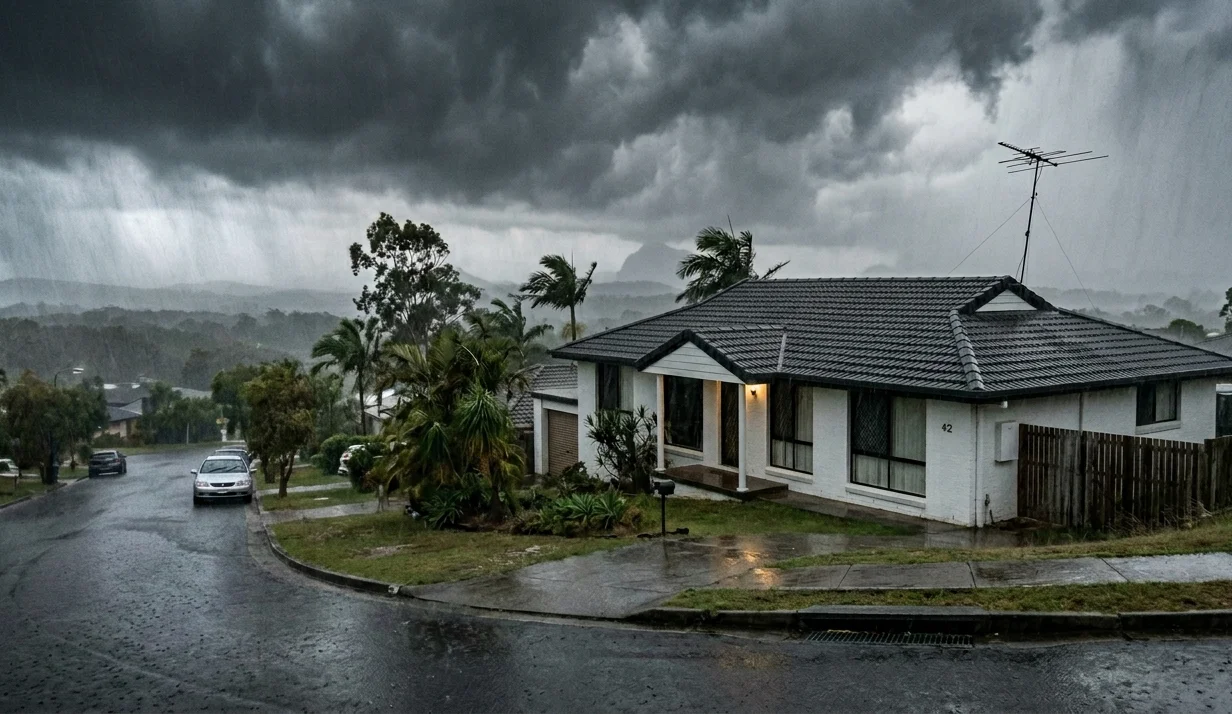
If you’ve ever settled in for a quiet night in front of the telly, only to be met with a pixelated screen or that dreaded “No Signal” message, you’re not alone. Bad weather and poor TV reception go hand in hand for many Sunshine Coast households, and it’s one of the most common complaints we hear from locals after a heavy downpour or coastal storm.
The good news? Most weather-related signal problems are fixable, and in many cases, preventable. Here’s what you need to know.
Why Does Bad Weather Wreck Your TV Reception?
Your TV relies on a digital signal transmitted from broadcast towers through the air to your antenna. When the weather turns nasty, that signal path gets interrupted. Here’s what’s actually happening:
- Heavy rain and moisture absorb and scatter radio frequencies, weakening the signal before it reaches your antenna
- Strong winds shift your antenna out of alignment with the broadcast tower
- Lightning and electrical storms cause surges that can damage your antenna system and connected equipment
- Corroded cables and fittings, accelerated by coastal humidity, degrade signal quality year-round
Understanding the root cause is half the battle. Once you know why it’s happening, you can address it properly rather than just hoping the weather improves.
7 Practical Ways to Improve TV Reception During Storms
1. Check Your Antenna Alignment
After a storm, head outside (once it’s safe) and visually inspect your antenna. Even a small shift in direction can make a big difference to signal quality. Your antenna should be pointed toward the nearest broadcast tower, on the Sunshine Coast, that’s typically the Mt Cooroora or Gympie transmitter.
If it looks off-kilter, it’s best to call a licensed technician rather than climbing up yourself.
2. Upgrade to a High-Gain Antenna
If you’re in a hilly or semi-rural part of the Sunshine Coast, a standard antenna may not cut it. A high-gain directional antenna is specifically designed to pull in weaker signals and is far less affected by interference from trees, topography, and weather.
If you’re building or renovating, check out Brocky’s TV’s new home antenna service to get the right setup from day one.
3. Inspect Your Coaxial Cables and Connectors
Old or damaged cables are one of the biggest culprits behind poor TV reception, particularly in coastal environments where salt air accelerates corrosion. Look for:

- Cracks, kinks, or splits in the cable
- Green or brown corrosion on connector ends
- Loose fittings at wall plates or junction boxes
Upgrade to quality RG6 coaxial cabling where possible, and make sure all outdoor connections are sealed with weatherproof boots or self-amalgamating tape to keep moisture out.
4. Install a TV Antenna Signal Booster
A properly installed TV antenna booster can significantly improve signal strength, especially in multi-room setups or homes further from the transmitter. Mounted close to the antenna itself, the booster amplifies the signal before any cable losses occur.
One word of caution: more amplification isn’t always better. Over-boosting can actually distort the signal. A qualified Sunshine Coast technician can measure your signal levels and recommend the right booster for your specific situation.
5. Protect Your System Against Electrical Surges
Lightning doesn’t need to strike your home directly to cause damage. A nearby strike can send a surge through your antenna cable and fry your TV tuner or set-top box. To protect your system:
- Have your antenna mast properly earthed by a licensed installer
- Install a coaxial surge protector at the point where the cable enters your home
- Use surge-protected power boards for your TV, set-top box, and home theatre equipment
This is a step many homeowners overlook, and often regret after the first big storm of summer.
6. Re-Scan Your Channels After the Storm Clears
Once the weather settles, do a quick auto-scan on your TV or set-top box. Storms can temporarily knock channels offline, and your system won’t automatically re-acquire them once signal is restored. Go to Settings > Channels > Auto Scan (or similar, depending on your device) to refresh your channel list.
7. Book a Professional Antenna Health Check
Just like your gutters and roof, your antenna system needs seasonal maintenance, especially heading into or out of storm season. A professional TV antenna repair technician on the Sunshine Coast can:
- Realign your antenna to optimal direction
- Inspect and replace degraded cables and connectors
- Test signal strength at every TV point in your home
- Upgrade components like amplifiers, splitters, or wall plates
For a deep dive into other common causes of patchy signal, read our guide on5 reasons your TV reception is poor and how to fix it.
What the Experts Say About TV Signal and Weather
Australia’s communications regulator, the notes that digital TV reception can be impacted by a range of environmental factors beyond just weather, including building materials, foliage, and proximity to broadcast towers.
It’s also worth understanding how your system works at a technical level. As explained onWikipedia’s Television Antenna page, television antennas receive signals broadcast on UHF and VHF radio frequencies, and any physical or atmospheric interference along that path will affect picture quality. That’s why antenna placement, quality cabling, and a well-maintained system matter so much.
When Is It Time to Call a Professional?
If you’ve worked through the steps above and you’re still getting dropouts, pixelation, or missing channels, it’s time to bring in someone who knows what they’re doing. DIY fixes can only go so far, and in some cases, climbing onto your roof to adjust an antenna during or after a storm creates real safety risks.
Brocky’s TV is a trusted local antenna service on the Sunshine Coast. Our experienced technicians handle everything from antenna repairs and realignment to full system upgrades and storm damage assessments. We’ve helped hundreds of Sunshine Coast households get their TV reception back to crystal clear, rain, hail, or shine.
Ready to get your signal sorted?
Contact Brocky’s TV today and let our local Sunshine Coast team get your signal back to crystal clear.Want to see what your neighbours think of our work? Check out our latest Google reviews and updates and see why locals trust Brocky’s TV. Don’t let the next storm leave you staring at a blank screen.
FAQs
1. Why does my TV lose signal when it rains?
Rain absorbs and scatters the radio frequencies your antenna uses to receive a digital TV signal. This effect, sometimes called “rain fade,” is especially common with weaker signals or poorly maintained antenna systems.
2. Can strong wind damage my TV antenna?
Yes. Strong winds can physically shift your antenna out of alignment, loosen mounting brackets, or even snap the mast entirely. Post-storm antenna checks are always a good idea on the Sunshine Coast.
3. Will a signal booster fix my bad weather reception?
A booster can help if you have a generally weak signal, but it won’t fix problems caused by a misaligned antenna or damaged cabling. Always get the root cause diagnosed first.
4. How often should I have my antenna serviced?
We recommend an annual check-up, ideally before storm season. Coastal environments like the Sunshine Coast accelerate corrosion, so more frequent inspections may be needed in older homes.
5. What’s the best type of antenna for the Sunshine Coast?
A high-gain UHF/VHF combination antenna is typically best for most Sunshine Coast locations. Your installer will assess your distance from the transmitter and any local obstacles to recommend the right model.