
A new smart TV arrives in a box. Getting it from that box to a fully working, fully configured entertainment system that streams, looks great on the wall, and connects everything you need that’s where a proper smart TV installation makes all the difference.
At Brocky’s TV, we carry out smart TV installation Sunshine Coast wide every day. Here’s a complete breakdown of what a professional smart TV set up actually covers, and why it’s worth doing properly from the start.
1. Physical Setup and Wall Mounting
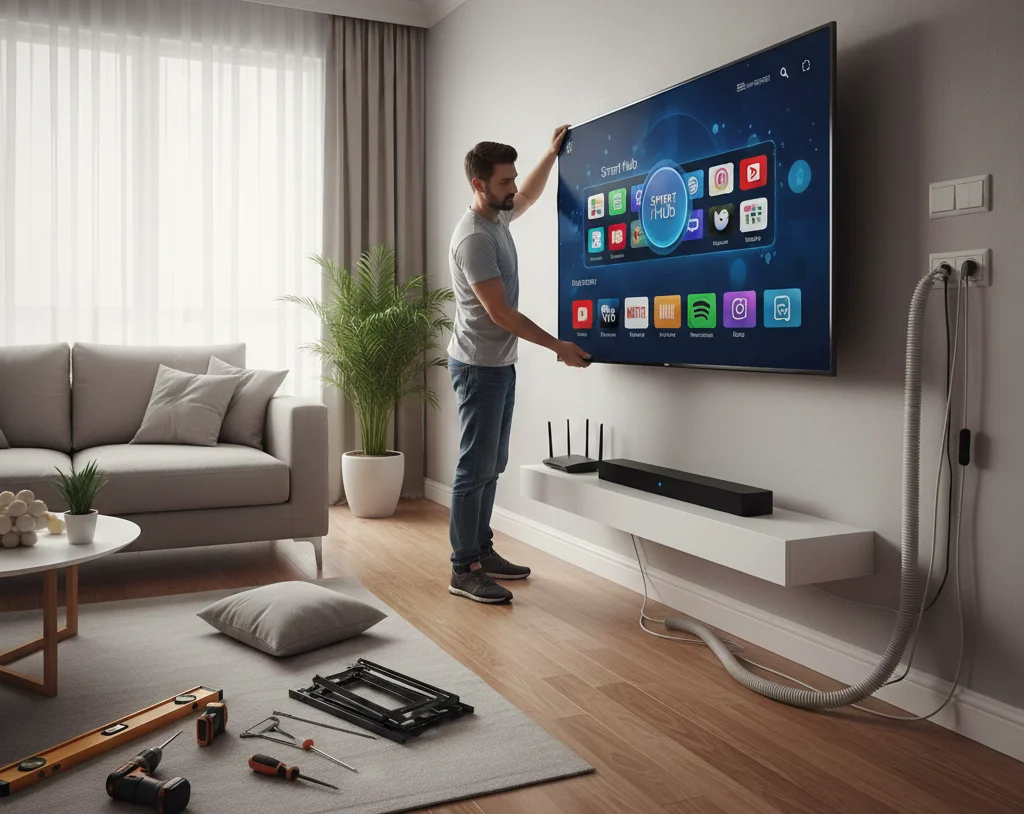
For most Sunshine Coast households, a smart TV installation begins before the screen is even switched on. Deciding whether the TV will sit on a stand or be wall mounted, and getting that positioning right, determines the viewing experience for years.
Wall mounting involves more than drilling holes. The right bracket for the wall type, mounting into structural studs or correct masonry anchors, and positioning the screen at the correct seated eye height all matter significantly.
Viewing height is one of the most consistently misjudged elements of any smart TV set up. A TV mounted too high forces neck strain during extended viewing and affects the perceived picture quality from common seating positions. Getting this right at installation rather than discovering the problem six months later is exactly why professional setup is worthwhile.
For Sunshine Coast properties with plaster walls or unusual construction, our guide to mounting a TV on a plaster wall covers the specific considerations for older home wall types.
2. Physical Connection of All Devices
Once the TV is positioned, connecting every device correctly is the next step in a professional smart TV installation Sunshine Coast service. This includes:
- HDMI connections from set-top boxes, Blu-ray players, and gaming consoles to the correct inputs
- HDMI ARC or eARC connection to a soundbar or AV receiver for audio
- Antenna or cable connection for free-to-air channels
- Ethernet cable connection where wired internet is available at the TV location
Labelling each input during this stage is a simple step that saves significant confusion later. Knowing which HDMI input corresponds to which device means switching between sources becomes quick and intuitive rather than a process of trial and error.
3. WiFi Connection and Network Configuration
Smart TV installation depends on a reliable internet connection for streaming. Connecting the TV to your home WiFi network is straightforward when the signal is strong at the TV’s location, but this isn’t always the case, particularly in larger Sunshine Coast homes or properties where the router is in a different part of the house.
Where the WiFi signal is marginal at the TV location, a wired Ethernet connection is always the more reliable option. If neither is ideal, repositioning the router or adding a mesh WiFi node near the viewing area solves the problem before it affects the streaming experience.
A professional smart TV set up includes a connection quality check at this stage, confirming whether the network is delivering adequate speed for 4K streaming before moving on.
4. Account Sign-In and Streaming App Setup
Most modern smart TVs require accounts for their built-in operating systems, and each streaming service requires its own separate login. A professional smart TV installation handles this clearly and methodically:

- Signing into the TV’s manufacturer account (Samsung, LG, Sony, or similar)
- Installing and signing into streaming apps including Netflix, Disney+, Stan, YouTube, ABC iView, SBS On Demand, and Prime Video
- Confirming each app loads correctly and streams without errors
- Adjusting app-specific settings including streaming quality, download preferences, and notification settings
Login credentials need to be documented clearly so they’re accessible later. A simple note kept somewhere safe with app names and passwords prevents the frustration of being locked out of services during future account changes or device updates.
5. Firmware and Software Updates
Out-of-the-box smart TVs almost always have outdated firmware. A professional smart TV installation Sunshine Coast service includes applying all available software updates before completing setup.
Updates address known bugs, improve WiFi stability, add support for new streaming services, and frequently include security patches. Updating firmware at installation means the TV is running its most current, most capable software from day one, rather than discovering available updates months later.
This step requires a network connection and can take fifteen to thirty minutes. It’s worth completing before handover.
6. Picture and Audio Calibration
Factory picture settings on smart TVs are configured for brightly lit retail environments, not Australian living rooms. Vivid or Dynamic picture modes look impressive in a showroom and look overly processed and unnatural at home.
A smart TV set up includes adjusting picture mode to Cinema, Movie, or Calibrated, which typically delivers more accurate colour, more natural contrast, and a more enjoyable viewing experience for film and TV content.
Audio calibration is equally important for households connecting to external soundbars or AV receivers. Confirming the correct audio output format, checking for audio sync between picture and sound, and adjusting dialogue enhancement settings where needed all contribute to a noticeably improved experience.
7. Free-to-Air Channel Tuning
A smart TV installation Sunshine Coast service includes tuning all available free-to-air channels through the TV’s built-in tuner or connected set-top box. This involves:
- Running a full auto-scan to detect all available channels
- Organising channels in a logical order
- Confirming that HD channels are correctly identified and prioritised
- Checking that catch-up apps like ABC iView and SBS On Demand are linked correctly to their corresponding channels
8. Walkthrough and Handover
The final step of every professional smart TV installation is a clear walkthrough covering everything that’s been set up. This includes:
- How to switch between inputs and sources
- Where to find streaming apps and free-to-air channels
- Basic remote control functions and any smart assistant features
- What to do if the TV loses its WiFi connection
The goal is leaving every household confident using their TV, not just having a working setup they don’t understand.
Why Professional Smart TV Installation Delivers Better Results
Every element of a smart TV installation Sunshine Coast job is faster, more reliable, and better configured when carried out by someone who does this every day. There are no incorrect picture settings to live with, no app login headaches, and no realisation three months later that the TV is mounted 15 centimetres too high.
Our smart TV setup service on the Sunshine Coast covers every step above, and our TV mounting service handles the physical installation for all wall types and bracket configurations.
See what other Sunshine Coast locals think of our work by reading what our customers say before you book.
Explore our full range of antenna, home theatre, mounting, and smart TV services at Brocky’s TV.
Call us on 0754059022, Monday to Friday during business hours.
Contact us today to book your smart TV installation Sunshine Coast wide or get a no-obligation quote.
FAQs
1. How long does a professional smart TV installation take?
Most standard installations including wall mounting, app setup, and calibration are completed in one to two hours. More complex setups involving multiple devices, whole-home audio, or challenging wall types may take a little longer.
2. What do I need to have ready before a smart TV installation?
Your streaming service login credentials (Netflix, Disney+, Stan, and so on), your home WiFi password, and any existing devices you want connected. If you’re unsure about any of these, we can help sort them out during the visit.
3. Can you set up a smart TV on any wall type on the Sunshine Coast?
Yes. We work with plasterboard, brick, concrete, and older plaster walls. Each requires different hardware and technique, and we assess the wall before recommending the right mounting approach.
4. Will you update the TV’s software as part of the installation?
Yes. Firmware updates are applied as part of every smart TV set up, ensuring the TV is running its most current software from day one.
5. Can you connect a smart TV to a soundbar or AV receiver during installation?
Yes. Audio system connection is included in our smart TV installation service, including confirming the correct HDMI ARC or optical audio output format and checking for audio sync.