

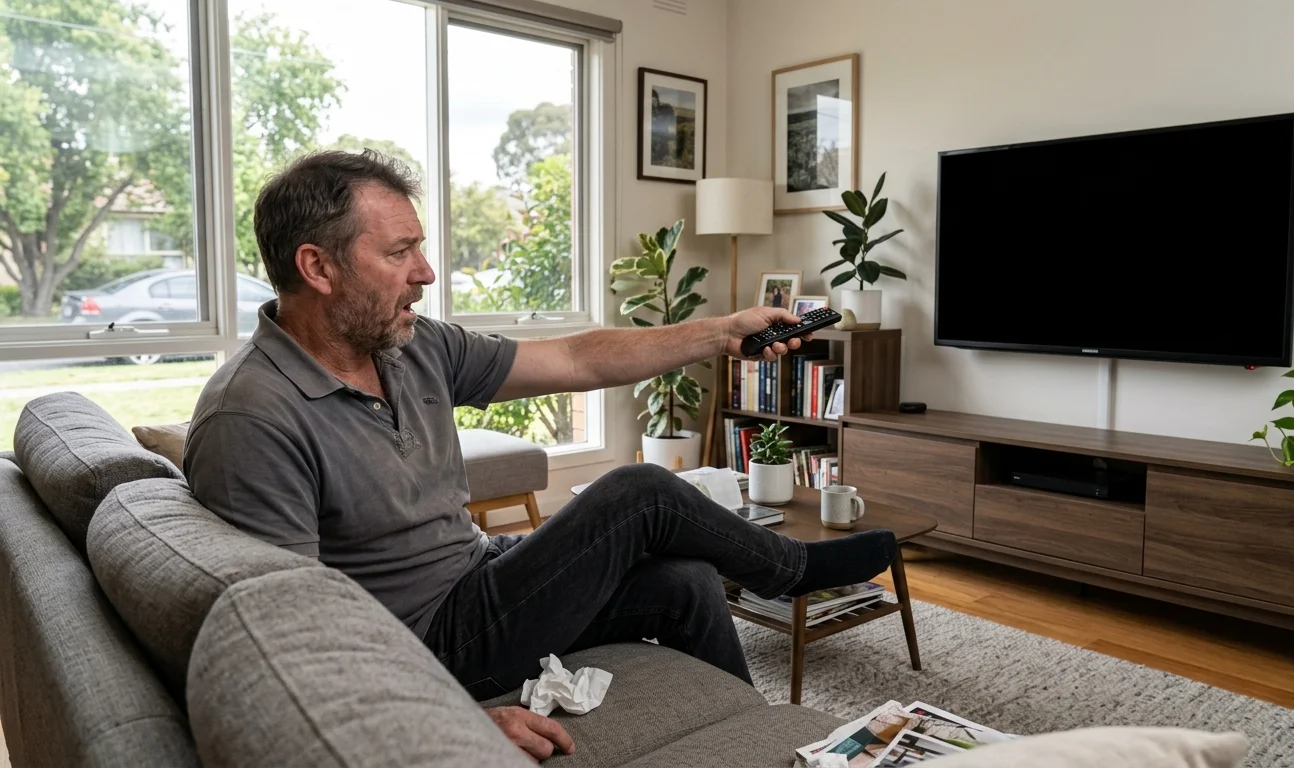
You’re settled in for the evening, the remote’s in your hand, and suddenly the TV screen goes black. No picture, maybe some audio, or complete silence. It’s one of those moments that immediately sparks the worry that the TV is done for.
The good news is that a TV screen goes black in most households for surprisingly simple reasons, and a significant number of those cases are fixable without a technician. At Brocky’s TV, we get calls about this exact problem every week from Sunshine Coast households. Here’s a step-by-step guide to working through the most common causes before deciding whether professional help is needed.
Step 1: Check All Your Cable Connections
This sounds almost too obvious, but loose or damaged cables are behind a large number of black-screen calls we receive. Power cables, HDMI leads, and coaxial antenna cables all work themselves loose over time, particularly if the TV was recently moved, cleaned around, or had anything knocked against it.
Unplug every cable from the back of the TV and firmly reseat each one. Pay close attention to the coaxial antenna cable if you’re watching free-to-air television. A poor connection here causes both signal loss and screen blackouts, and a simple reseat is sometimes all that’s needed to resolve what looks like a serious problem.
Step 2: Perform a Full Power Reset
A power reset clears temporary software faults that can cause your TV screen goes black even when the set appears to be powered on.
How to do it properly:
- Turn the TV off at the remote or the physical power button
- Unplug it completely from the wall outlet, not just into standby mode
- Wait a full 60 seconds before plugging back in
- Turn the TV on and check whether the picture has returned
This step alone resolves the issue in many cases. If it works, the cause was likely a temporary software glitch or memory issue rather than any hardware fault.
Step 3: Rule Out the Input Source
Your TV might be working perfectly, but if it’s set to an input with no active device connected, the screen will appear completely black. This is a surprisingly common cause, particularly in households where children use the remote or a device was recently swapped out.
Use the source or input button on your remote to cycle through every available input, HDMI 1, HDMI 2, AV, antenna, and so on. If the picture returns on a different input, the problem is with the original source device, your set-top box, streaming stick, or gaming console, rather than the TV itself.
Step 4: Check Your Free-to-Air Antenna Signal
If your TV screen goes black specifically on free-to-air channels, with streaming apps still working normally, your antenna signal is almost certainly the cause. A severely degraded signal doesn’t just cause pixelation, it can make channels appear completely dead, with the screen dropping to black rather than showing a weak picture.
Queensland’s coastal climate, storm season, and UV exposure all accelerate antenna deterioration, and an antenna that’s been in place for more than ten years is frequently the culprit behind what looks like a TV fault rather than a signal issue.
Our TV antenna installation service includes full signal testing and cabling assessment to confirm whether the antenna is the root cause before any replacement is recommended.

Step 5: Update Your TV’s Firmware
Modern smart TVs run on operating systems that receive regular software updates. An outdated firmware version can cause display problems including unexpected black screens, particularly after a software conflict or incomplete previous update.
Access your TV’s settings menu and navigate to the system or software update section. If your screen is fully unresponsive but the TV appears on, try connecting via Ethernet and leaving it powered for an hour. Some smart TV models download and apply updates automatically when given a stable connection.
If you’ve been experiencing other streaming or app issues alongside the black screen problem, the smart TV streaming and fix guide covers the software and connectivity causes in more detail.
Step 6: Check Whether the Backlight Has Failed
If you can hear audio through your TV but the screen appears completely black, try shining a torch directly at the panel. If you can faintly make out a picture behind the darkness, your TV’s backlight has failed.
A failed backlight means the TV is technically functioning, but the lighting system behind the display panel has gone out. This is a hardware fault that can’t be resolved with home troubleshooting and requires professional diagnosis.
At this point, the decision between repair and replacement depends on the TV’s age and value. A quality screen from a reputable brand is almost always worth assessing professionally before writing it off.
Step 7: Check for Overheating
TVs that are mounted inside enclosed entertainment units, positioned against walls without adequate clearance, or placed in rooms without sufficient ventilation can overheat during extended use. When internal temperatures rise too high, the TV’s thermal protection activates and shuts the display down to protect the components.
If your TV screen goes black after an hour or two of viewing but the TV appears to power back on normally after cooling down, overheating is the likely cause. Improving ventilation around the unit often resolves this entirely.
Proper mounting position matters here too. A professionally installed wall mount with correct clearances and positioning prevents both overheating and the viewing angle issues that cause discomfort over time. Our TV mounting service on the Sunshine Coast assesses placement and ventilation as part of every installation.
When to Call a Professional
If you’ve worked through every step above and your TV screen goes black persistently or immediately returns after a reset, the fault requires professional diagnosis. Internal board failures, failed capacitors, backlight driver circuits, and antenna cabling faults deep within wall cavities all need proper equipment and experience to identify and repair.
See what other Sunshine Coast households think of our work by reading what our customers say before you get in touch.
Explore our full range of antenna, home theatre, TV mounting, and WiFi services at Brocky’s TV.
Call us on 0754059022, Monday to Friday during business hours.
Contact us today to book your TV assessment or get a no-obligation quote on any antenna or installation work across the Sunshine Coast.
FAQs
1. Why does my TV screen go black but sound still works?
Audio continuing while the picture disappears usually points to a backlight failure or a loose HDMI connection. If you can faintly see a picture when shining a torch at the screen, the backlight has failed and needs professional repair.
2. Can a bad antenna signal cause my TV screen to go black?
Yes. A severely degraded antenna signal can cause free-to-air channels to go completely dark rather than showing a weak picture. If streaming apps work normally but live TV goes black, the antenna is almost certainly the cause.
3. My TV screen goes black after an hour of watching. What’s happening?
This pattern almost always indicates overheating. The TV’s thermal protection is shutting the display down to prevent component damage. Improving ventilation around the unit or ensuring adequate clearance from walls usually resolves it.
4. Is a full power reset the same as pressing standby?
No. Standby mode keeps the TV in a low-power state with its software still running. A full power reset requires unplugging from the wall completely for at least 60 seconds, which clears the TV’s temporary memory and resolves software-related black screen faults.
5. How do I know if my TV needs repair or replacement when the screen goes black?
A professional assessment is the only reliable way to know. Many black screen faults, including backlight failures and capacitor issues, are repairable at a fraction of replacement cost. We assess honestly before recommending anything.