

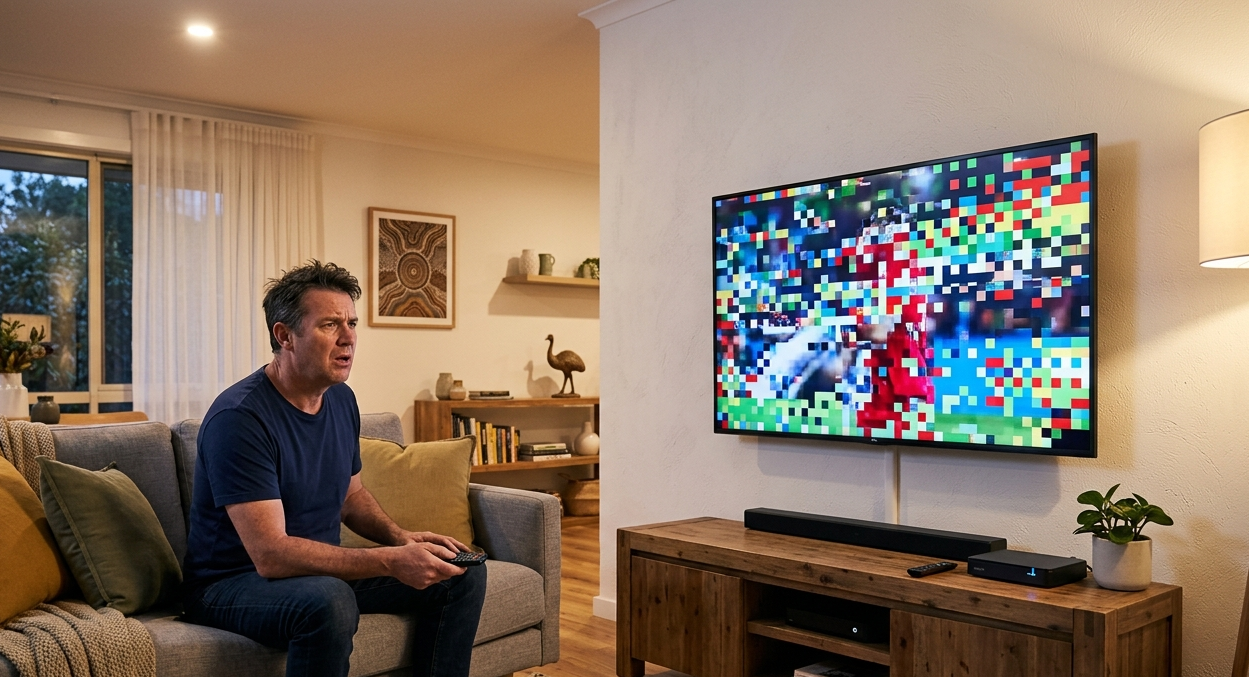
TV pixelating is one of the most common complaints from Australian households — and it is more than just annoying. Those broken, blocky images and frozen frames usually point to a real underlying problem with your signal, antenna, or cable setup. This guide covers the top 10 reasons your TV picture breaks up and what you can do to fix each one. Whether you are dealing with occasional glitches or constant pixelation, understanding the cause is the first step toward getting a clear, reliable picture back on your screen.
You are settled in for the footy, a movie, or the evening news — and suddenly the picture turns into a mess of coloured squares. Sound cuts out. The screen freezes. Then it comes back, only to break up again a minute later.
TV pixelating is frustrating, but it is rarely random. There is almost always a clear reason behind it, and most causes have a straightforward fix. At Brocky’s TV Antennas, we deal with pixelation problems across the Sunshine Coast every week, and the same causes come up again and again.
Here are the top 10 reasons your TV pixelating — and exactly what to do about each one.
1. Weak or Unstable TV Signal
The most common cause of TV pixelating is a weak signal reaching your TV. Digital TV does not fade out gracefully the way old analogue signals did — instead, a weak digital signal produces blocky images, freezing, and dropouts.
Weak signals can be caused by distance from the broadcast tower, physical obstructions like hills or buildings, or simply an antenna that is not pointed in the right direction. A professional signal strength test is the most reliable way to confirm this and fix it properly.
2. Damaged or Ageing Antenna
Antennas take a beating from the weather — sun, rain, wind, and storms all wear them down over time. A cracked housing, bent element, or corroded connection can dramatically reduce the signal your antenna picks up, leading to pixelation that gets worse in bad weather.
If your antenna is more than 10 years old or has been through a rough storm season, it is worth having it inspected. Replacing an ageing antenna is one of the most effective fixes for ongoing TV reception issues on the Sunshine Coast.
3. Faulty or Degraded Coaxial Cable
The coaxial cable that runs from your antenna to your TV carries the signal through your walls. Over time, this cable can develop kinks, water damage, or loose connections — all of which interfere with signal quality and cause TV pixelating.
Check any visible sections of cable for damage. If the cable runs through walls or under the roof, a technician can test the whole line for signal loss. A simple cable replacement often clears up TV pixelating that has been building for months.
4. Loose or Corroded Connections
Even if your antenna and cable are in good condition, a loose connection at either end can disrupt the signal enough to cause pixelation. Connectors exposed to moisture are especially prone to corrosion, which blocks the signal from passing through cleanly.
Check that every connection — at the antenna, at the wall plate, and at the back of your TV or set-top box — is firmly seated and free from visible corrosion. Tightening or replacing a single connector can sometimes fix the problem instantly.
5. Signal Interference From Other Devices
Certain household devices can interfere with your TV signal, causing your TV pixelating issues. This includes cordless phones, baby monitors, nearby mobile towers, and in some cases even LED lighting. The interference disrupts the signal as it travels from your antenna to your TV, producing pixelation or complete signal dropout.
Try turning off nearby wireless devices one at a time to see if the picture improves. If interference is coming from outside your home — such as a new mobile tower or a neighbour’s equipment — a signal filter or shielded cable can help block it out. For persistent pixelation caused by interference, it helps to read up on why digital TV keeps freezing and pixelating to understand what is actually happening to your signal.
6. Overloaded TV Signal Splitter
If your antenna signal is split between multiple TVs using a splitter, each TV gets a reduced portion of the original signal. With too many splits, or a cheap splitter, the signal can drop below the level needed for a clean picture — causing pixelation on one or all of the connected screens.
Replace cheap passive splitters with a quality amplified splitter. If you have four or more TVs running from one antenna, a distribution amplifier is a better long-term solution than a basic splitter.
7. Antenna Pointed in the Wrong Direction
An antenna that has shifted — even slightly — due to wind or a loose mount can end up pointing away from the broadcast tower. On the Sunshine Coast, getting the antenna alignment right is important because the signal direction can vary depending on your exact location.
This is not something most people can fix safely from the roof themselves. A TV antenna technician can re-align the antenna correctly and lock it in place so it stays put through future weather events.
8. Atmospheric and Weather Conditions
Sometimes pixelation is caused by weather rather than a fault in your setup. Heavy rain, storms, and certain atmospheric conditions can temporarily affect digital TV reception — particularly in coastal areas like the Sunshine Coast where humidity and sea air play a role.
If your picture only breaks up during storms or on very humid days, weather is likely the cause rather than a hardware fault. In most cases, the picture returns to normal once conditions improve. If it does not, the weather may have revealed or worsened an existing issue.
9. Set-Top Box or TV Tuner Problems
Sometimes the problem is not with the signal at all — it is with the device receiving it. An ageing set-top box or a faulty internal TV tuner can cause TV pixelating even when the signal arriving at your TV is perfectly strong.
Try a factory reset on your set-top box or TV first. If that does not help, test the same antenna connection with a different device. If the picture is clear on another TV, the original device is likely the cause of the TV pixelating and may need replacing.
10. New Buildings or Trees Blocking Your Signal
The Sunshine Coast is growing fast. New buildings, large trees, and even new infrastructure can appear between your antenna and the broadcast tower and block or reflect the signal path. This kind of pixelation tends to develop gradually rather than appearing overnight.
If your reception was fine for years and has slowly been getting worse, a physical obstruction may be the cause. A technician can check the signal path, re-point your antenna if needed, or recommend an antenna upgrade to compensate for the reduced signal.
Wrapping Up
TV pixelating is almost never a mystery once you know what to look for. In most cases, the cause is something physical — a worn antenna, a damaged cable, a loose connection, or a signal that needs boosting. Working through the list above will point you toward the right fix.
If you have checked the basics and your picture is still breaking up, getting a professional to test your full antenna setup is the most reliable next step. Signal issues can be difficult to diagnose without proper equipment, and guessing often leads to replacing parts that were not the problem.
For homeowners across the Sunshine Coast looking for dependable TV reception repair, Brocky’s TV Antennas provides antenna installation, TV signal repair, fix TV pixelating , wall mounting, and WiFi solutions from our base at Unit 6/12 Newspaper Pl, Maroochydore QLD 4558. Follow us on Facebook for local tips, seasonal advice, and updates from our team.
FAQs
1. Why is my TV pixelating only on some channels?
Different channels broadcast from different towers or at different signal strengths. If pixelation only affects certain channels, it usually means the signal for those specific frequencies is weaker at your location. A directional antenna upgrade or a re-alignment may improve reception on those channels without affecting the ones that already work.
2. Can bad weather permanently damage my TV reception?
Weather itself rarely causes permanent damage, but a severe storm can physically damage your antenna, shift it out of alignment, or let water into cable connections. If your reception does not recover after a storm passes, it is worth having the antenna and connections checked for storm-related damage.
3. Is TV pixelation covered by my home insurance?
In some cases, storm damage to your antenna or cabling may be covered by home and contents insurance. Check your policy for external structures and antenna coverage. A written report from a licensed antenna technician can support an insurance claim if needed.
4. Can I fix TV pixelation myself?
Some basic fixes — like tightening connections, clearing a set-top box cache, or replacing a visible damaged cable — are straightforward. However, anything that involves getting on the roof to adjust or replace an antenna should be handled by a qualified technician for safety reasons.
5. How often should I have my TV antenna serviced?
A general rule is to have your antenna inspected every five to seven years, or after any significant storm. If your reception starts declining gradually, do not wait for the scheduled check — have it looked at sooner. Regular maintenance catches small problems before they turn into full signal failure.