

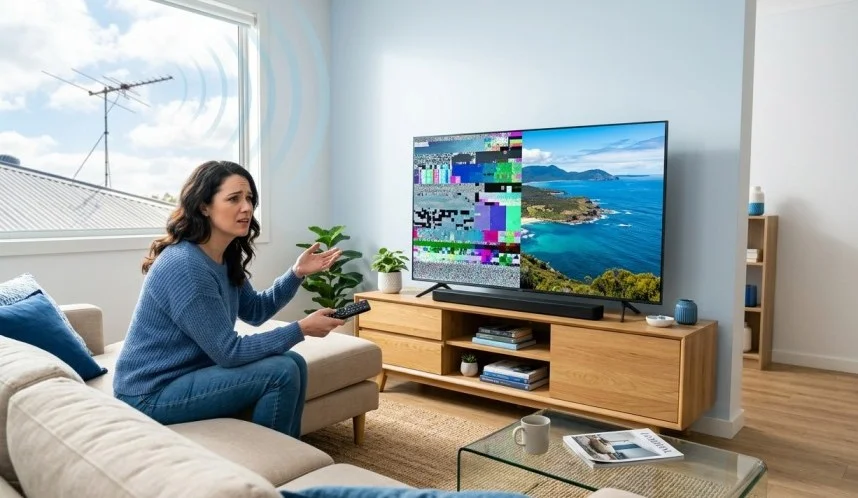
There is nothing quite as frustrating as settling down on the couch to watch your favourite footy match or evening news, only to have the screen break up into blocky squares and lock up completely. When your digital TV keeps freezing, it ruins the whole viewing experience.
For homeowners across the Sunshine Coast from Caloundra and Maroochydore up to Noosa and the Hinterland reception drops, glitchy audio, and picture break-ups are surprisingly common. But why does this happen, and what can you do to solve it?
In this guide, we break down the most common reasons why digital TV keeps freezing and share actionable, step-by-step fixes to restore a crystal-clear picture to your living room.
Why Is Your Digital TV Freezing and Pixelating?
Unlike older analogue broadcasting, modern digital terrestrial television in Australia relies on a binary signal. You either receive a pristine high-definition picture, or you hit what technicians call the “cliff effect” where the picture breaks into blocks, stutters, or disappears into a “No Signal” screen.
When you experience freezing and pixelating channels, it almost always stems from signal strength or signal quality issues. Here are the primary culprits on the Sunshine Coast:
- Weather & Coastal Atmospheric Conditions: Strong coastal winds, heavy tropical downpours, and atmospheric ducting along the Queensland coast can temporarily disrupt line-of-sight signals from local transmitters like Bald Knob or Mount Bellthorpe.
- Damaged or Weathered Antennas: Salt air on the coast corrodes metal elements, baluns, and mounting hardware fast. If your aerial is more than 10 years old, rust and loose parts are likely degrading your signal.
- Faulty or Outdated Cabling: Old saddle-and-screw wall plates or degraded RG59 cables let electrical interference bleed in. Modern setups require quad-shield RG6 coaxial cabling to block unwanted interference.
- 4G/5G Mobile Tower Interference: As mobile networks expand across coastal suburbs, nearby mobile towers can easily overwhelm unshielded TV receivers and amplifiers.
- Over-Amplified Signals: Adding an uncalibrated booster when your base signal is already strong creates signal overload, causing the tuner to crash.
Step-by-Step Fixes When Digital TV Keeps Freezing
Before calling out a technician, try these straightforward troubleshooting steps to narrow down the problem.
1. Inspect Your Fly Lead and Wall Connections
Start with the simplest fix: the cable connecting your wall plate to your television.
- Make sure the fly lead is firmly plugged in at both ends.
- Look for sharp bends, crushed insulation, or loose plastic connectors.
- Replace cheap, thin fly leads with a heavy-duty, shielded RG6 cable.
2. Perform a Manual Channel Re-Tune
When your digital TV keeps freezing, an automatic auto-scan often picks up weak, distant relay stations rather than your strongest local tower.
- Check the official ACMA TV reception guidelines to identify the correct broadcast frequencies for your Sunshine Coast suburb.
- Clear your TV’s memory by performing a factory reset or tuning without the antenna plugged in.
- Reconnect the lead and manually input the exact channel frequencies for your area.
3. Check for Household Electrical Interference

If your screen glitches whenever the fridge kicks on, LED lights turn on, or the microwave runs, you are dealing with impulse noise. Unshielded cables act like giant antennas for household electrical noise. Upgrading to RG6 quad-shield cabling and fitting ferrite filters on power leads usually eliminates this nuisance.
4. Review Your Signal Amplifiers & Boosters
If you have a masthead amplifier attached to your antenna mast, ensure it is actually needed. If your digital TV keeps freezing on all channels suddenly, an old amplifier might have failed or may be amplifying 4G/5G mobile signals alongside your TV broadcast. Installing an inline LTE/4G filter or adjusting your booster settings can resolve signal distortion. Learn more about picking the right setup on our TV antenna boosters specialist page.
When to Call a Local Antenna Specialist
If you have tried re-tuning and swapped your leads but your digital TV keeps freezing, the fault is usually up on the roof or hidden inside your roof cavity. Roof-level work involves height risks, precise digital field meters, and local geographical knowledge.
A professional technician can accurately measure your signal level (dBµV) and Modulation Error Ratio (MER) to pinpoint whether your issue is caused by physical signal obstruction, incorrect antenna alignment, or worn-out splitters.
At Brocky’s TV, we have spent years helping Sunshine Coast locals enjoy glitch-free television. Whether you need a simple realignment, a full digital upgrade, or a high-grade TV antenna installation tailored to your location, our local team gets the job done right the first time.
For additional deep dives into signal drops and picture break-ups, read our detailed article on digital television pixelation and break-ups. You can also check out our customer reviews and verified business location on our Google Business Profile.
Get Crisp, Freeze-Free TV on the Sunshine Coast Today
Don’t let a glitchy screen ruin your downtime. If your digital TV keeps freezing and pixelating, let our friendly local team diagnose and fix the issue with professional digital metering equipment.
Ready to restore your reception? Contact Brocky’s TV today for expert advice and fast, reliable local service across the Sunshine Coast!
FAQs
1. Can a damaged fly lead or cable cause my digital TV to freeze?
Absolutely. If the fly lead connecting your TV to the wall socket is old, damaged, or unshielded, it allows electrical interference to distort the signal, leading to pixelation and freezing. Replacing it with a high-quality, quad-shielded RG6 cable often resolves the issue.
2. Why does my TV picture only freeze during bad weather?
Heavy rain, strong winds, and storm clouds temporarily weaken signals and can physically sway your outdoor antenna. If pixelation continues even after the weather clears, your antenna may have been knocked out of alignment or affected by water ingress.
3. Is manual channel tuning better than auto-tuning to fix freezing channels?
Yes, manual tuning is usually better. Auto-tuning can accidentally pick up and store a weak signal from a distant secondary transmitter. Manually tuning your TV ensures it locks onto the exact broadcast frequency of your nearest local tower.
4. Why does my TV work fine during the day but freeze in the evening?
Evening interference is often caused by household electrical usage such as LED lighting, microwaves, or air conditioners turning on. If your coaxial cables lack proper shielding, this “impulse noise” bleeds into your signal and freezes the picture.
5. Can nearby 4G/5G mobile phone towers interfere with my TV reception?
Yes. Mobile networks operate on frequencies close to digital TV broadcasts. Strong signals from nearby 4G or 5G towers can overload your TV tuner or antenna amplifier, causing freezing. Installing an inline LTE/4G filter easily fixes this problem.